

Playing Mobile Casinos: PWA or Native App?


Recommended casinos
Mobile casinos now offer two main ways to play: progressive web apps (PWAs) through your browser, and native casino apps installed directly on your device. On paper, both options often look identical. The same games, the same bonuses, and the same account balance are usually available either way.
In practice, however, the experience can feel very different depending on which route you choose. These differences don’t come from game rules or RTP, but from how each platform interacts with your phone, your operating system, and the restrictions imposed by app stores.
This guide breaks down what actually changes for mobile casino players when choosing PWA versus native apps, focusing on friction, performance, controls, and everyday usability rather than marketing claims.
What PWA and Native Mean in a Mobile Casino Context
A PWA (Progressive Web App) is a mobile-optimized casino site that behaves like an app but runs through your browser. You don’t download it from an app store. Instead, you visit the site, optionally add it to your home screen, and play directly in the browser.
A native casino app, by contrast, is downloaded from an app store and installed on your device. It has deeper integration with your operating system and can access certain device-level features more directly.
From a player’s point of view, both can feel “app-like.” The real differences emerge once you start using them regularly.
Install Friction: How Fast You’re Actually Playing
Friction during installation is one of the biggest practical differences players notice immediately.
With a PWA, there is almost no barrier to entry. You tap a link, sign in, and start playing. Adding the casino to your home screen takes seconds and doesn’t require permissions, passwords, or app store approval. This makes PWAs especially attractive for players who want quick access or who switch between multiple casinos.
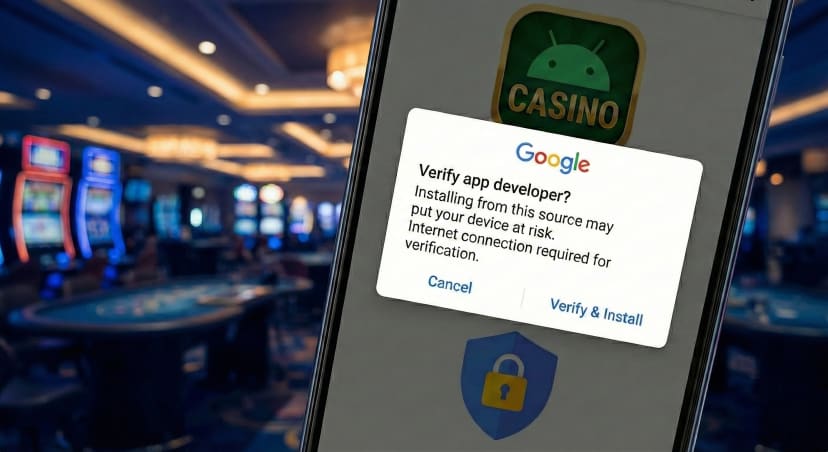
Native apps add an extra step. You must find the app, download it, wait for installation, and sometimes verify permissions before you even log in. This friction isn’t huge, but it’s enough that some players won’t bother unless they plan to stick with that casino long-term.
From a convenience standpoint, PWAs win on speed. Native apps win only if you value tighter system integration enough to justify the extra step.
Updates: Silent vs Forced Changes
Updates are where platform philosophy becomes very visible.
PWAs update automatically in the background whenever you load the site. There are no version numbers, no prompts, and no forced interruptions. New features, UI changes, or bug fixes appear the next time you open the casino.
Native apps rely on app store updates. Sometimes these updates are optional, but often they are mandatory. A player may open the app only to be blocked until a new version is downloaded. While this can improve stability, it also breaks session flow and can be frustrating during short play windows.
For players who value uninterrupted access and minimal maintenance, PWAs generally feel smoother. Native apps trade that smoothness for tighter control and version stability.
Push Notifications: Who Really Has the Advantage
Push notifications are often cited as a major advantage of native apps, but the reality is more nuanced.
Native casino apps can reliably and persistently send push notifications, even when the app hasn’t been opened recently. This makes them effective for bonus reminders, tournament alerts, or account messages. From a casino’s perspective, this is a powerful re-engagement tool.
PWAs can also send push notifications, but support varies by browser and operating system. On Android, PWA notifications work well. On iOS, they exist but are more limited and easier for users to silence or miss entirely.
For players, this can be a positive or a negative. Some prefer the lighter touch of PWA notifications, while others appreciate the consistency of native alerts. The key difference is control: PWAs generally feel less intrusive.
Background Audio and Multitasking Behavior
Background audio is a small detail that strongly affects usability.
Native apps are usually better at handling background audio. Music or game sounds often continue playing when you switch apps or lock your screen, depending on system settings. This matters for players who multitask or treat casino play as a background activity.
PWAs depend on browser behavior. In many cases, audio stops when the tab loses focus or the screen locks. Some browsers handle this better than others, but consistency is not guaranteed.
If you frequently switch between apps while playing, native apps tend to provide a more predictable experience.
Offline Assets and Load Stability
Neither PWAs nor native apps allow offline gambling in a true sense, since real-money play requires a live connection. However, they differ in how they handle temporary connectivity issues.
Native apps often cache more assets locally. This can result in faster loading times and smoother transitions once the app is installed. Brief network drops may feel less disruptive, especially on unstable connections.
PWAs rely more heavily on real-time loading. While modern PWAs cache some assets, performance still depends strongly on your connection and browser efficiency.
Players on weaker networks may notice that native apps feel more stable during long sessions.
Battery Usage: Efficiency vs Overhead
Battery usage is influenced by how deeply an application integrates with the operating system.
Native apps are generally more energy-efficient during extended sessions. They are optimized for the device and avoid some of the overhead associated with running through a browser layer.
PWAs run inside the browser engine, which can consume more power, especially if multiple tabs or background processes are active. Over short sessions, this difference is negligible, but over time it becomes noticeable.
For players who spend long periods playing on mobile data, native apps often drain less battery.
Device Permissions and Player Control
Permissions are where platform differences directly affect player trust and comfort.
Native apps typically request access to certain device features, such as storage, notifications, and, in some cases, biometric login. While these permissions can improve convenience, they also require trust in the operator and comfort with deeper system access.
PWAs operate in a more sandboxed environment. They have limited access to device features and usually require fewer permissions overall. This makes them feel less invasive, especially for privacy-conscious players.
From a control perspective, PWAs offer a more contained experience, while native apps offer more convenience at the cost of deeper access.
Responsible Gaming Tools and Platform Rules
Platform policies heavily influence responsible-gaming controls.
In native apps, especially on iOS, app store rules may restrict how certain features are displayed or enforced. Deposit limits, time reminders, and self-exclusion tools may be handled differently or require redirection to web pages.
PWAs operate under web regulations rather than app store guidelines. This often allows casinos to implement responsible-gaming tools more flexibly and consistently across regions.
As a result, some features may appear, disappear, or behave differently depending on whether you’re using a PWA or a native app—even when the casino itself is the same.
Why Features Sometimes Exist on One Platform but Not the Other
When players notice missing buttons or altered workflows, it’s rarely a technical limitation. More often, it’s a compliance issue.
App stores impose strict rules on payments, content presentation, and user interaction. Casinos sometimes remove or simplify features in native apps to stay compliant. PWAs are less constrained, allowing fuller feature sets in some cases.
This explains why certain bonuses, payment flows, or account tools may only be available—or easier to access—on the web version.
A Practical Checklist: Choosing Where to Play
When both options exist, the better choice depends on how you play:
- Choose a PWA if you value instant access, fewer permissions, silent updates, and lighter engagement pressure.
- Choose a native app if you want stronger notifications, better multitasking, smoother long sessions, and tighter system integration.
Neither option is universally better. They are optimized for different player priorities.
Final Takeaway
For mobile casino players, the difference between PWA and native apps is not about games or payouts. It’s about friction, control, and feel. PWAs prioritize flexibility and speed. Native apps prioritize stability and integration.
Understanding these trade-offs allows you to choose intentionally, rather than defaulting to whatever the casino promotes. When you match the platform to your habits, the mobile casino experience feels less like a compromise—and more like a tool that fits how you actually play.